

WooCommerce Emails Not Sending? How to Fix Order Emails
Customers not getting order emails? Check WooCommerce email settings and order statuses, send through SMTP, authenticate your domain, and resend missed emails.
Guides
Step-by-step fixes for common WordPress and WooCommerce problems, written by the WPSE team. Prefer to have it fixed for you? Our fixes start at $49.
Customers not getting order emails? Check WooCommerce email settings and order statuses, send through SMTP, authenticate your domain, and resend missed emails.

A complete checklist for moving WordPress to a new host: backups, migration methods, testing before DNS changes, URL updates, email, and post-move checks.

SSL installed but still "Not secure"? Switch WordPress to HTTPS, replace old links safely in the database, find leftover HTTP files, and redirect correctly.

Login page keeps reloading or "too many redirects"? Fix cookies, site URLs, HTTPS and Cloudflare settings, plugins, and .htaccess to get back into wp-admin.

Every page shows "Error establishing a database connection"? Check the database server, wp-config.php details, damaged tables, and server limits, step by step.

Seeing "Briefly unavailable for scheduled maintenance" for too long? Delete the .maintenance file, finish the update safely, and stop it happening again.

Elementor editor stuck on the loading screen or a grey panel? Update add-ons, raise memory, switch the loader, and find plugin, theme, or server conflicts.
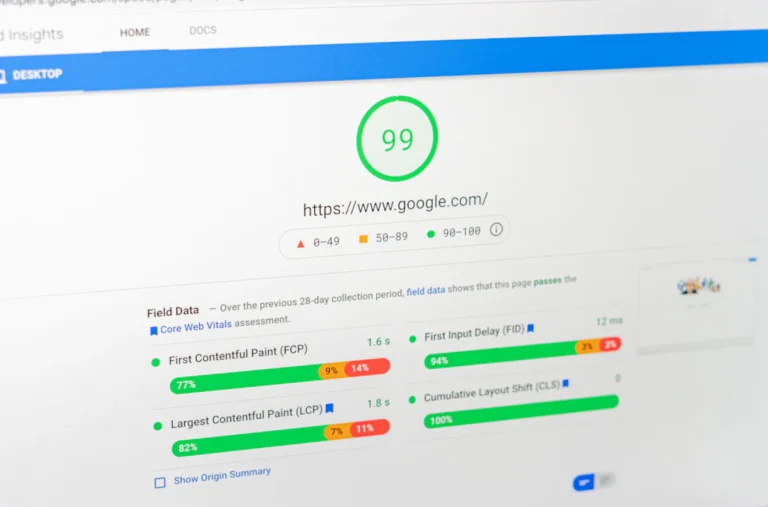
Measure Core Web Vitals, then fix what matters most: page caching, hosting and PHP, images, plugins, scripts and fonts, and the database.

Spam redirects, Google warnings, or unknown admin users? Lock the attacker out, clean the infection, close the way in, and get Google warnings removed.
Your WordPress site shows a blank white page? Find the hidden error and fix it: caches, the debug log, plugins, themes, memory limits, and core files.